13 Points to Consider When Choosing a WordPress Theme
12 MIN
July 1, 2023
Abhishek Doshi
Directing Manager
In this article
Share
Introduction
When creating a website using WordPress, one of the most critical decisions you'll make is choosing the right theme. With thousands of options available, it can be overwhelming to select the best one that suits your needs. In this article, we'll discuss 13 Points to Consider When Choosing a WordPress Theme to ensure your website looks stunning, functions smoothly, and meets your requirements.
1. Why the Right WordPress Theme Matters
Selecting the right WordPress theme is crucial because it sets the visual and functional foundation of your website. A well-designed theme enhances the user experience, attracts visitors, and represents your brand effectively. It also plays a vital role in search engine optimization, website speed, and security.
2. Consider the Purpose of Your Website
Before choosing a theme, define the purpose of your website. Is it an e-commerce site, a blog, a portfolio, or a business website? Different purposes require different layouts and functionalities. Understanding your website's objectives will help you narrow down the suitable theme options.
3. Ensure Responsive Design
In today's mobile-driven world, having a responsive website is a must. Ensure that the theme you choose adapts seamlessly to various screen sizes and devices. This enhances user experience and also helps with SEO, as search engines favor mobile-friendly websites.Supercharge your WordPress website with InboundWebHub!
4. Check Browser Compatibility
Your website will be accessed by users on various browsers. Test the theme on different browsers to ensure it displays correctly and functions well across all of them. A theme that works well on one browser but breaks on another can harm your website's credibility.
5. Evaluate Page Load Speed
Website speed is a critical factor affecting user experience and search engine rankings. Choose a lightweight and well-coded theme that ensures fast page load times. Avoid themes with excessive animations or features that can slow down your site.
6. Look for Customization Options
Every website is unique, so choose a theme that offers sufficient customization options. Check if the theme allows you to modify layouts, colors, fonts, and other elements without the need for complex coding. A highly customizable theme gives you the flexibility to design your site according to your vision.
7. Check Theme Updates and Support
Regular theme updates are essential for security and compatibility with the latest WordPress version. Ensure the theme you select receives frequent updates and has an active support team to assist you in case of any issues.[blogcta]
8. Consider SEO Friendliness
An SEO-friendly theme can positively impact your website's visibility on search engines. Look for themes that are optimized for SEO, including proper heading structure, clean code, and fast loading times.
9. Examine Security Features
Website security is paramount to protect your data and your visitors' information. Choose a theme from reputable sources that follow the best security practices and keep your website safe from potential threats.
10. Analyze Theme Reviews and Ratings
Before finalizing a theme, read reviews and ratings from other users. This will give you insights into their experiences and help you identify any potential drawbacks or issues with the theme. Choose themes with positive feedback and high ratings.Get a website that wows! Contact InboundWebHub for expert WordPress development.
11. Choose a Theme with Good Documentation
Clear and comprehensive documentation is essential when working with a WordPress theme. Check if the theme provides detailed instructions on installation, setup, and customization. Good documentation saves time and prevents unnecessary frustration during the website-building process.
12. Check for Plugin Compatibility
Plugins add functionality to your WordPress site. Ensure that the theme you choose is compatible with popular plugins you may need, such as contact forms, SEO optimization, caching, or e-commerce plugins. Incompatibility between the theme and essential plugins can limit your website's capabilities.
13. Evaluate Theme Pricing
While there are many free WordPress themes available, premium themes often offer additional features, updates, and support. Consider your budget and weigh the benefits of free themes versus paid options. Remember that investing in a premium theme can provide long-term benefits and a more professional appearance.
Conclusion
Choosing the right WordPress theme is a vital step in creating a successful website. By considering the 13 points discussed in this article, you can make an informed decision and select a theme that aligns with your goals, enhances user experience, and provides the necessary features and functionalities. Remember to thoroughly research and test themes before making your final choice.[blogcta]
FAQs
1. Can I change my WordPress theme after creating my website? Yes, you can change your WordPress theme at any time. However, it's recommended to test the new theme on a staging environment and make necessary adjustments to ensure a smooth transition.
2. Are all WordPress themes mobile-friendly? No, not all WordPress themes are mobile-friendly. It's essential to choose a theme that explicitly mentions responsive design or mobile optimization.
3. Can I customize the appearance of my WordPress theme? Yes, most WordPress themes offer customization options. You can modify colors, fonts, layouts, and other elements using the theme's built-in customization features or additional plugins.
4. Are premium WordPress themes worth the investment? Premium WordPress themes often offer advanced features, dedicated support, and regular updates. If you have specific requirements and want a professional-looking website, investing in a premium theme can be worthwhile.
5. What should I do if I encounter issues with my WordPress theme? If you face issues with your WordPress theme, first check the theme's documentation or support forums for possible solutions. If you can't resolve the problem, reach out to the theme's support team for assistance.
Written by
Abhishek Doshi
Directing Manager
Helps DTC and SaaS teams build the systems — websites, marketing, and automation — that actually move revenue.
KEEP BUILDING
You've got the plan. Let's build it.
We turn the frameworks you just read into the flows, pages, and automation behind them — under your brand, always.
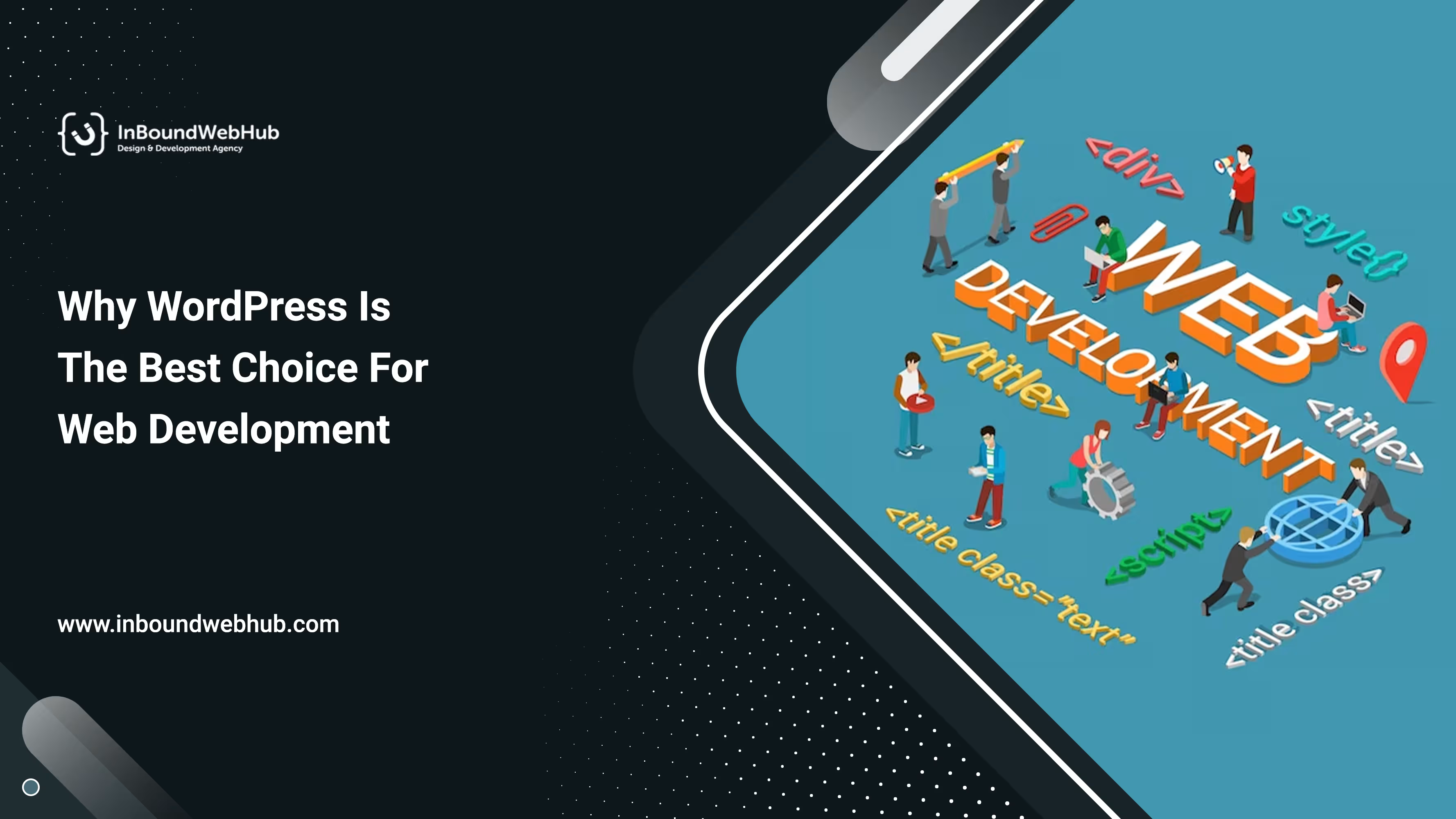
Why WordPress Is The Best Choice For Web Development
In the vast landscape of web development platforms, one name stands tall above the rest – WordPress. With its intuitive interface, robust features, and extensive customization options, WordPress has solidified its position as the leading content management system (CMS) globally. In this blog, we will explore the reasons why WordPress reigns supreme and why it continues to be the top choice for website creators, bloggers, and businesses alike.
Why WordPress?
1. User-Friendly Interface
One of the primary reasons for WordPress's immense popularity is its user-friendly interface. It caters to both beginners and seasoned developers, making it a go-to option for anyone looking to establish an online presence. WordPress's dashboard is well-organized, allowing users to manage content, install plugins, and customize themes effortlessly.
2. Endless Customization Options
WordPress offers a vast array of themes and plugins that empower users to tailor their websites according to their specific needs. Whether it's a portfolio website, e-commerce platform, blog, or corporate site, WordPress has the perfect tools to make it happen. Additionally, users can take advantage of custom coding to achieve unique designs and functionalities, making the possibilities virtually endless.Enhance Your Website - Choose WordPress Development Experts Now!
3. SEO-Friendly Structure
A significant factor in WordPress's dominance in the realm of SEO is its inherently SEO-friendly structure. Search engines love WordPress because it generates clean and organized code, making it easier for web crawlers to index and rank pages. Moreover, users can enhance their SEO efforts through various plugins that optimize content, meta tags, and sitemaps.
4. Responsive Design for All Devices
With the increasing number of mobile users, having a responsive website has become paramount. Fortunately, WordPress themes are designed with responsiveness, ensuring that websites look and perform flawlessly across all devices – from desktops to smartphones and tablets. This adaptability not only improves user experience but also boosts search engine rankings.
5. Unmatched Community Support
WordPress boasts a vibrant and engaged community of developers, designers, and enthusiasts. This vast community provides extensive support, with numerous forums, tutorials, and documentation available online. When encountering issues or seeking advice, WordPress users can rely on the collective knowledge and expertise of the community.
6. Regular Updates and Security
To stay ahead of potential vulnerabilities, WordPress regularly releases updates that enhance security and fix bugs. This commitment to maintaining a secure platform instills confidence in both developers and website owners, making WordPress a trustworthy choice for building websites of any scale.[blogcta]
7. Seamless E-Commerce Integration
For entrepreneurs and businesses seeking to venture into the world of online sales, WordPress offers seamless e-commerce integration. With plugins like WooCommerce, users can effortlessly set up and manage online stores, complete with inventory management, payment gateways, and shipping options.
8. Speed and Performance
Website loading speed is a critical factor in user experience and search engine rankings. WordPress's lightweight framework and optimized code contribute to faster page load times, enhancing the overall performance of websites. Additionally, users can further improve speed through caching plugins and content delivery networks (CDNs).Unlock Your Website's Potential with Professional WordPress Development - Contact Us Now!
9. Multilingual Capabilities
As the internet connects people worldwide, catering to a diverse audience becomes essential. WordPress supports multilingual capabilities, enabling users to create websites in different languages. This feature is especially beneficial for businesses looking to expand their reach beyond borders.
10. Scalability for Growth
No matter the size of your website or business, WordPress is built to scale. From a simple blog to a multi-page enterprise website, WordPress can accommodate growth without compromising performance or stability. This scalability ensures that your website can evolve alongside your aspirations.[blogcta]
Conclusion
WordPress's dominance in the world of web development can be attributed to its user-friendly interface, extensive customization options, SEO-friendly structure, and responsive design. Furthermore, its vibrant community support, regular updates, and security measures instill trust and reliability. With seamless e-commerce integration, optimized speed, and scalability, WordPress continues to reign as the best CMS option for individuals and businesses seeking a powerful, versatile, and future-proof platform for their online presence. Embrace WordPress today and experience the unrivaled advantages it offers in shaping your digital footprint.
WordPress is one of the most open, reasonable, and easy-to-utilize Content Management Systems (CMS). It very well may be the substance of a blog, corporate site, or magazine. The plausibility of expanding the CMS arrangement boundlessly makes WordPress CMS so famous. With lots of subjects, valuable modules, and broad help, beating the allure of WordPress are hard.The WordPress (WP) plugins will undoubtedly transform an ordinary WordPress website into a flexible one. WordPress plugins are applications that guide you to add new highlights and functionalities to websites, in the very same style as applications accomplish for a cell phone. The authority WP module storehouse incorporates more than 54, 000 plugins and yet counting. That shows we can have plugins for pretty much every element we want on our WordPress websites. Be that as it may, not all WP plugins are constructed equivalently. Not many of them incorporate dormant coding that can be contrary to our subject. With this blog, we have organized a WordPress module rundown that can constantly keep your website running at its pinnacle.
What are WordPress Plugins?
WP Plugins are software parts written in the PHP language that can consolidate extra elements in your WordPress locales. The Plugins improve on the most common way of adding elements to the site without ordering a solitary line of code. They can be as straightforward or as mind-boggling as you maintain that they should be, in light of your prerequisite. You can pick either the freemium variant (free rendition) or premium adaptations (paid form - incorporate more contributions, which are limited in the free variant) according to your necessities.Furthermore, the Module Programming interface gives a powerful arrangement of channels and snares that permit engineers to modify existing usefulness or add new usefulness with WordPress. They can utilize WordPress scientific classifications, content sorts, and customs documents, which empowers clients to store different sorts of content, not simply pages and posts. As an administrator, you can initiate or deactivate the Plugins that you have introduced whenever you need.We have recorded the main 10 priority WordPress modules for your WordPress Site that help you to expand your business. In this way, moving right along, here is the first Plug-in:
Best 10 WordPress plug-ins for your business:-
1. WP Forms
The contact structure is fundamental for each website as it is the channel for your watchers to be in contact with you. WPForm is one of the famous easy-to-understand WordPress contact structure Plugins. It is a simplified internet-based structure developer and it empowers the making of contact structures, online request structures, email membership structures, installment structures, surveys, studies, and different sorts of web-based structures as easily as conceivable with only a couple of snaps. This module can coordinate with all driving installment and advertising stages, and offices so you construct strong structures in a flash. Key elements and advantages of this module are:
Pre-assembled formats to make contact structures
Brilliant restrictive rationale permits you to show/conceal structure fields/areas based on client conduct
Multi-page structures to upgrade client experience
Geolocation choice to show the client's area data
Studies and surveys usefulness to make as well as investigating client reaction
Structure deserting to catch email tends to even though your guests don't wrap upYou can update WPForms to one of its Expert intends to get to a wide variety of structure formats, installment and gift assortments using PayPal, and some more.
2. Yoast SEO
Search Engine Optimization assumes a fundamental part in helping guests to your website. WordPress permits you to construct SEO well-disposed Pages and with its SEO best practices, you can build your website traffic. Yoast SEO is rumored to be one of the main WordPress SEO plugins. It helps you to create sitemaps, add Meta labels, enhance your site for virtual entertainment, interface your site to Google Search Control center, and then some. With the accompanying features, it offers an exhaustive answer for upgrading your on-page SEO:
Powerful Redirect feature to handily construct 301 coordinates
Inward connecting idea
Upgrade for keywords, equivalent words, key expressions, and related keywords
Intelligibility check
Refreshes according to Google's algorithm
Permits to make custom Meta Header/Description
XML News Sitemaps
Powerful Redirect feature in Yoast SEO Premium makes 301 re-coordinates clear. In any case, as opposed to updating, you can attempt the free option WordPress Redirection module to import your redirects.
3. Akismet
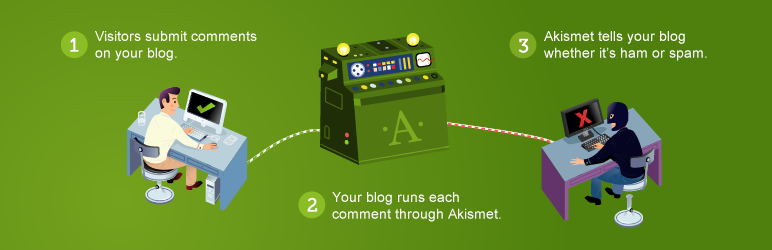
Akismet is an anti-spam plugin that assesses all comments to sift through the spammy comments. It offers a status history of comments to cause you to comprehend which comments Akismet stamped spammy. This WordPress Premium plugin offers a high-level security arrangement notwithstanding spam insurance. With the following features, the Akismet plugin guarantees your WordPress Security:
Consequently screens all comments and sifts through the spam comments
Offers fundamental and high-level Spam measurements solidly in your WP administrator region
Show supported comments
Guarantees Security and GDPR Consistency
4. WP Rocket
Quick page load times are essential to each business and caching arrangement is the best powerful method for achieving this. WP Rocket is a WordPress Premium caching plugin that guides to accelerate the stacking season of your website. It accomplishes this with the stored duplicates of each progressively made page and diminishes the responsibility of your servers. It additionally lessens the heaviness of your JavaScript, HTML, and CSS documents through minification. Your pictures get stacked provided that guests look down the page, as such improving the heap season of your page. Facebook, YouTube, and Hurray are a portion of the main websites utilizing this procedure. The plugin incorporates features like:
Improve user-end browser caching
Work with apathetic stacking to support stacking times
Incorporate caching arrangement with a CDN (Content Delivery Network)
Load images on requests
Viable with CloudFlare
Support WordPress Multiple sites
5. Updraft plus
Finding a quality solution for the proper backups is among the perpetual requirements for website owners. Updraft Plus is the world-driving WordPress backup plugin. It offers a book as well as an automated backup solution for an expansive scope of capacity choices including Google Drive, email, and Dropbox. Its backup and reclamation features make it very easy to introduce, design as well as take a backup of the WordPress site. As the backups are put away in the dashboard, you can get to them later. It incorporates the choices to erase or reestablish the backups. Features of Updraft plus plugin:
Backs up and reestablishes WordPress locales with a single tick
Effectively Clone and Relocate WordPress Site
Rears up to a far-off area
Perform total, manual, or booked backups
Backs up non-WordPress documents and information bases
Broad distant stockpiling choice
Get gradual backups, programmed backups before relocation, and numerous stockpiling objections with Upgrade Plus premium.
6. Migrate Guru
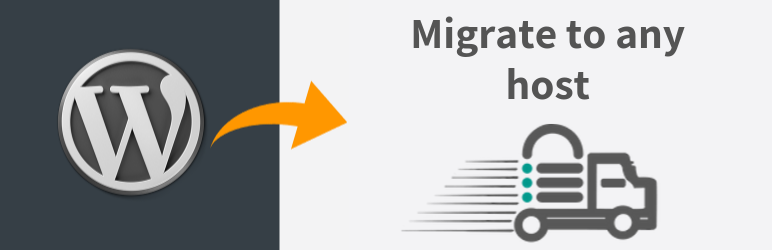
Migrate Guru is a fully automatic WordPress migration plugin that gives the easiest, fastest, and most reliable way to migrate any WordPress site. This WP plugin runs on BlogVault's servers, an outside server As such, it doesn't overburden WordPress sites and empowers you to move huge sites even around 200 GB with practically no issues. During the migration cycle, there are choices to exclude the superfluous records and save the migration setting, which empowers you to rehash the migration in the future with a solitary snap. The accompanying features make this WP Plugin the most favored decision for WordPress migration:
True one-click migration
Easy to utilize
No overload on site
No add-ons
Built for huge sites
No storage space required
7. Woo Commerce
WooCommerce is a WordPress online business plugin that permits selling anything, consistently. With plenty of expansions and customization features set up, this plugin makes selling on the WordPress site more straightforward than at any time in recent memory. With its overflows of subjects alongside unlimited customization choices, capacity to sell advanced, member, and actual items, and endless change improvement apparatuses, it stands novel in the WordPress Plugins list regarding convenience. WooCommerce accompanies features like:
Sell anything, anywhere
Ship wherever you like
Extensive payment options
Product ratings and reviews
Product arranging and separating
Unlimited pictures and displays
Unlimited items
8. Redirection
Redirection is the most famous WordPress redirect plugin that helps you with 301 redirections and 404-error monitoring. It is the go-to plugin for following broken connections and vagrant pages. It empowers you to auto-track watchers of a wide range of URLs or physically insert 302/307 redirects. This WordPress redirection plugin is easy to introduce and gives more noteworthy speed and execution. Redirection Plugin tracks and logs 404 blunders giving you - Which WordPress pages that watchers have visited that don't genuinely exist. As such, you can make 301 redirects to redirect the future guests of those pages to the fitting pages. This apparatus includes the accompanying features:
AUTOMATED-redirect to the closest match
Redirect per source or gadgets
Redirect Logs
Redirect by the client signed in or not
Manual redirect rules, with all standard-redirect choices
9. MonsterInsights
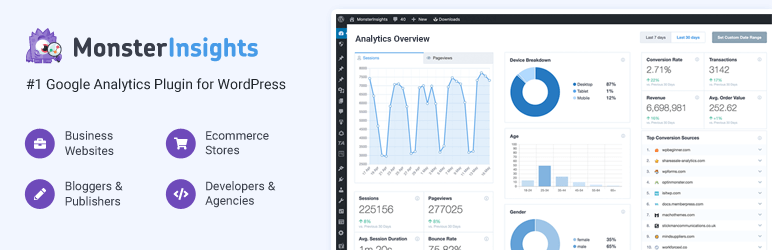
Website analytics assumes a vital part in business development. With the MonsterInsights WordPress plugin, you can set up Google Analytics on your Website with a couple of snaps and see how well your webpage is performing. This plugin makes it easy to comprehend confounded analytics like crowd conduct and traffic sources.With these subtleties, you can understand where you are wasting your time and reject them while thinking up an information-driven system, which increases your number of crowds. Moreover, MonsterInsights tracks Internet business and gives you significant measurements like change rate, complete income, top reference sources, and top items. Key features of this Google Analytics device are as per the following:
Ongoing details
Quick and easy arrangement
Google Analytics dashboard
Widespread following
Promotions following
Record download following
Upgraded interface attribution
Know precisely the way in which guests find and utilize your website and increase your deals and traffic with MonsterInsights.
10. Wordfence Security
As per the exploration of WpWhiteSecurity.com, around 73.2% of the famous WordPress-fueled websites are powerless against security assaults. If you would rather not experience superfluous security complexities or possibly diminish expected risks, then, at that point, it is required to introduce the Wordfence Plugins on your WordPress site. The Wordfence plugin is dedicatedly intended to keep your site secure. It sets up a firewall on the website to shield it from malignant traffic. It checks center records, Plugins, and topics for terrible URLs, malware, SERP spam, indirect accesses, code infusions, and malevolent redirects. Furthermore, it offers a protected login framework and sweeps for malware to hinder dubious external endeavors. You will get caution each time when something strange occurs with regard to security on your website. With the accompanying features, Wordfence guarantees ongoing insurance for your website:
Your website is your company’s face on the internet. It must represent your core values in terms of efficiency. As a result, you should never compromise while building itAs a reliable technology partner, Inbound Webhub provides superior-grade, cost-successful services. We have skilled WordPress developers fluent in various programming languages who can make custom websites according to your business needs and budget!From mobile application development to website services, we can do every type of website service for you. Book a free consultation today!All the above plugins sure have come to the rundown of the outclasses. In any case, we are not finished at this point.

.svg)






.png)
.svg)
.svg)






.svg)


.svg)
.svg)
.svg)
.svg)
.svg)
.svg)



.svg)